The Idea of If Statements
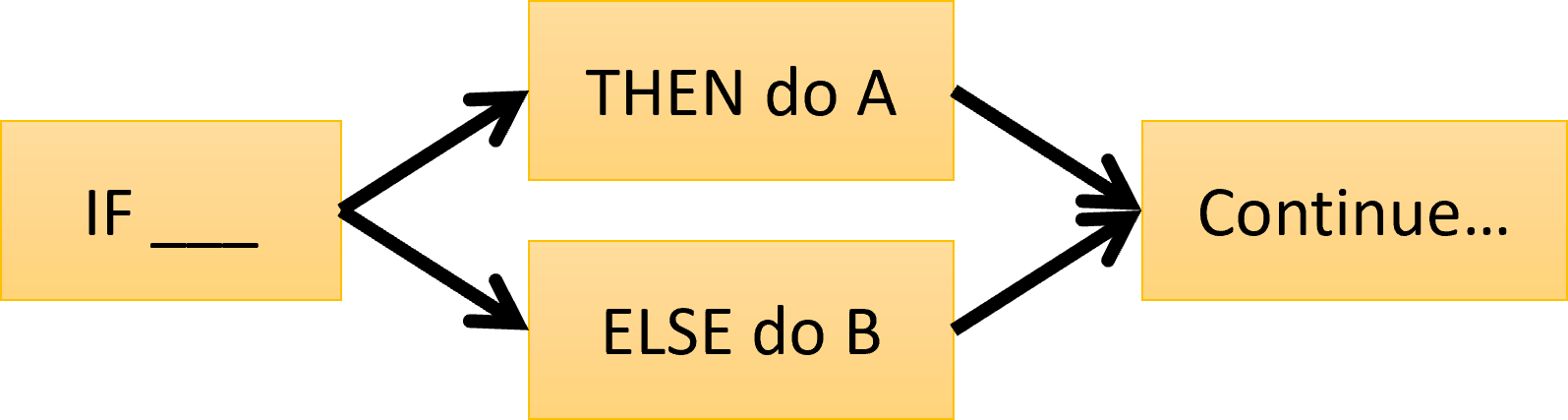
If an expression is true, then take some action. Otherwise, don’t take that action. Either way, execution continues afterwards. That’s the core idea of an if statement.
Purpose
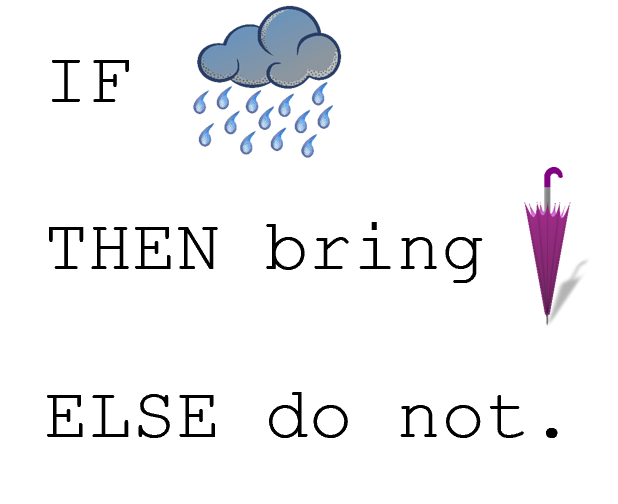
if statements make code smarter. They let you do different things in different situations. In this example, we decide to bring an umbrella or not based on whether it is raining. That’s a simple but logical decision that we can make.
Syntax
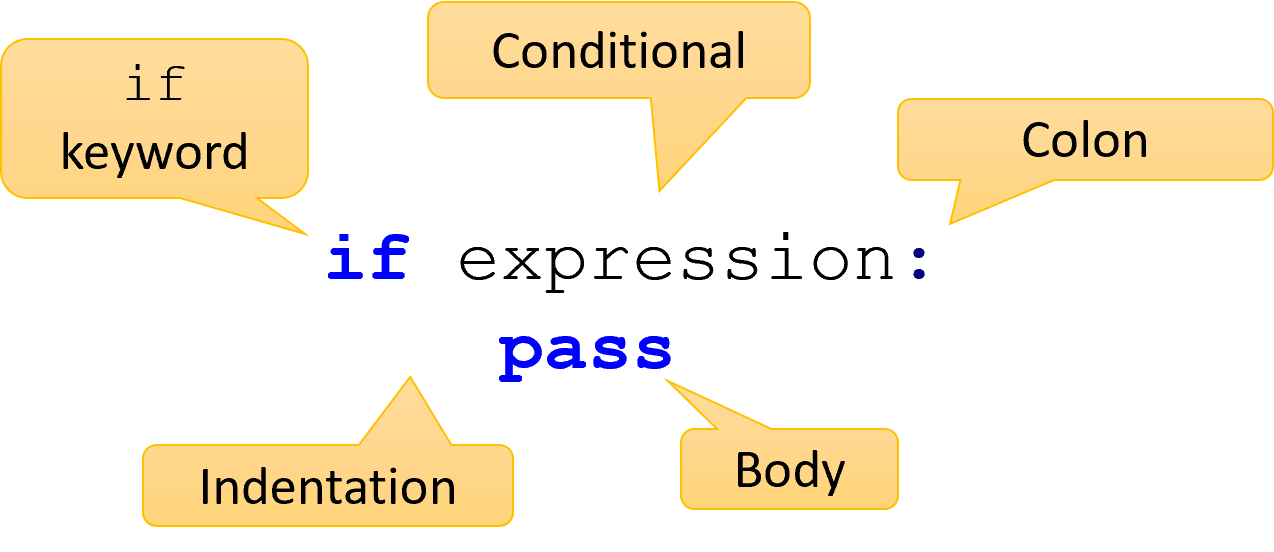
There are four parts to an if statement. First, you have the keyword if. Then, you have the conditional expression. The conditional is followed by a colon. These first three parts together are called the header. Finally, you have the body of the if statement.
Conditionals
if age > 21:
    pass

if "cat" in animal_name:
    pass

if rent > 2000 and rooms < 2:
    pass

if not on_fire():
    pass
You already learned about writing conditionals. Conditional expressions can be variables, comparisons, function calls, or combinations using and, or, and not. In the code shown here, you can see quite a few different kinds of valid conditional expressions.
Body
income = int(input("Your income?"))

if income > 2000:
    # Body starts here, indented
    tax = .8
    adjusted = income * tax
    print("Income:", adjusted)
    # Body ends here

print("This line is not in the body!")
The body of an if statement is a sequence of one or more statements. This body must be indented with 4 spaces. Anything indented below the if keyword is said to be “inside” the if statement. These indented statements will be executed if the conditional evaluates to True. Otherwise, Python will skip right over those lines of code, as the last line here shows.
The “Else” Block
precipitation = 0

if precipitation > 0:
    print("It is raining")
else:
    print("It is NOT raining")
if statements can optionally have an else body. If the conditional evaluates to False, then the else will be executed instead of the if body. The if body will be skipped over as if its lines of code did not exist. Only one of the two bodies will ever be executed! Note the colon after the word else, and that it has its own body.
Branching
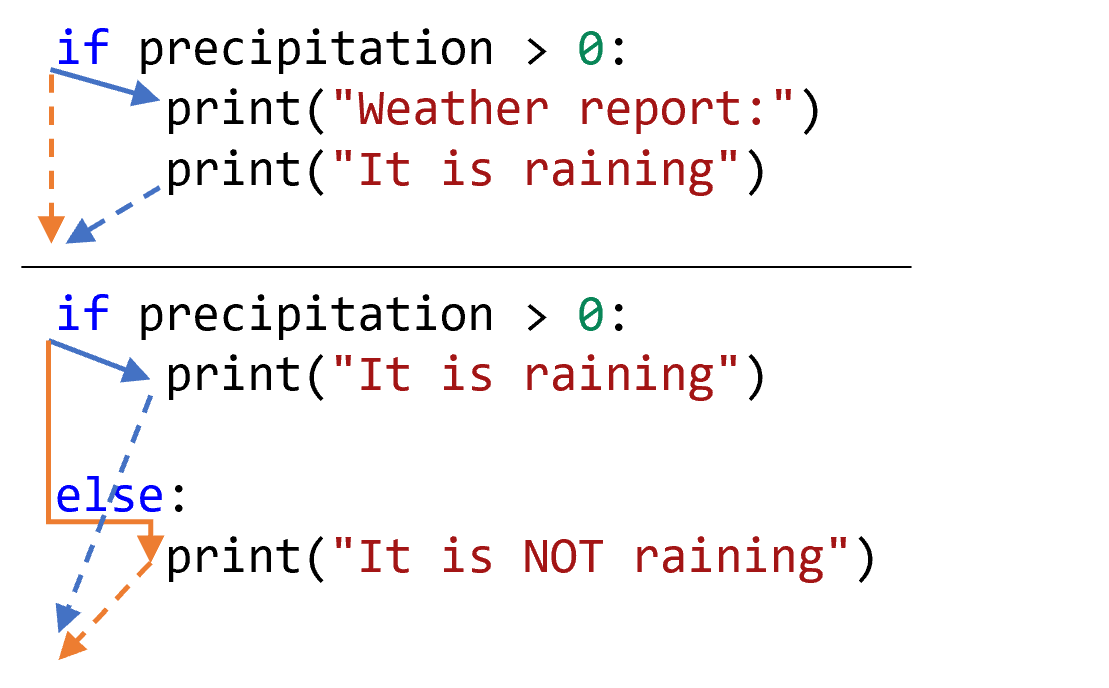
Think about your program as a flowing stream. Normally it will go from top to bottom. An if statement changes that flow to optionally go around. We call that behavior branching. Every time you have another if statement, you have another two branches. This also happens if you have an else statement.
Trace Tables
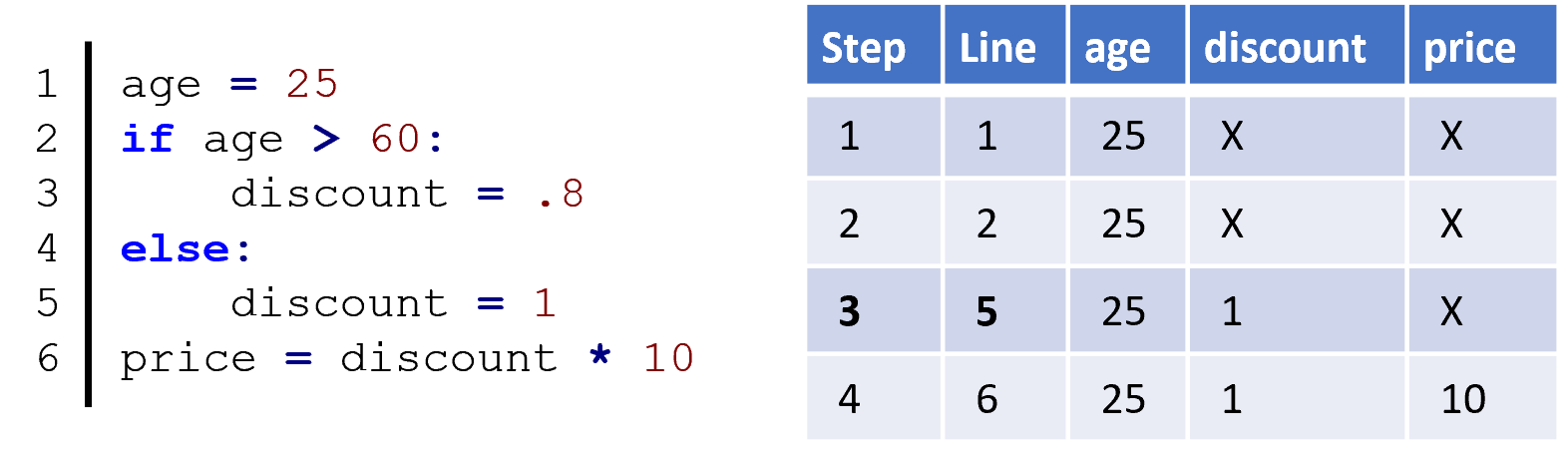
Last chapter, we learned how you can make a trace table that follows the execution of a program. We now must add an extra column to this table, to differentiate between steps and lines. With if statements, it is possible that a step may skip a line of code. Even though the program shown here has 6 lines of actual code, it only has 4 steps! Notice that on lines with if statements, we still have a step, but we simply repeat the values unchanged, since the values are only read, not written.
Possible Initialization Problem
# Current hour of day
hour = 7

if hour > 6:
    time = "It is daylight"

# This will cause an error!
# Did not initialize time on both branches
print(time)
Keep in mind that if statements allow us to potentially skip lines of code. We have previously seen that we must be careful to write variables before we read them. If we initialize a variable in one branch, then we must initialize that variable in the other branch. Or, we should have already initialized the variable earlier in the program and now only update the variable.
Summary
ifstatements allow us to execute some lines of code and skip others depending on a conditional expression.- An
ifstatement is composed of the header (ifkeyword, a conditional expression, a colon), and a body. elsebodies can be attached toifstatements to run alternative code when theifstatement evaluates toFalse.- Every
ifstatement, regardless of whether it has anelsebody, will have at least two branches. - You must be careful tracing an
ifstatement since some lines can be skipped; this is especially important to make sure that variables are defined along every branch of the program. - The body of an
ifstatement is lines of code, each indented with four spaces. We say those indented lines are “inside” of the body, while any unindented lines are “after” the body. - The body of an
iforelsestatement can never be empty; there must always be at least one line.