Purpose
name = "Ada Bart"
word = "rubber"
book = "Dante's Inferno"
website = "https://wikipedia.org"
Strings are how we put text data into a computer. Any text data can be a string: names, words, books, web sites.
Characters
- Letters: The alphabet,
athroughzandAthroughZ(lowercase and uppercase) - Numbers: The digits
0to9 - Symbols: All other characters like
!and:and even the space character
Strings are made up of letters, numbers, and symbols. We call these things “characters.”
The name “String”
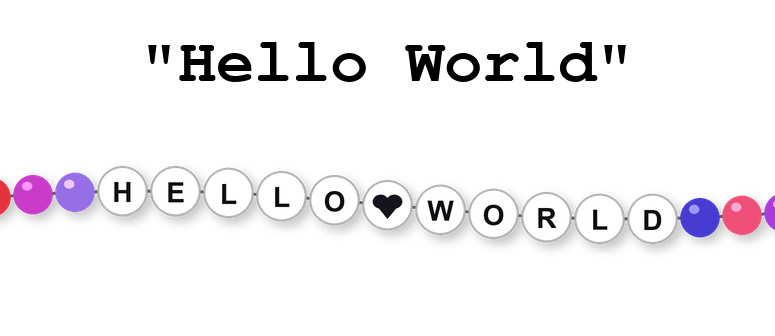
Think of a string like a necklace, where each bead has a character on it. We “string together” letters. The single or double quotes are knots at the end that tie the letters off.
Notation
message1 = "What's wrong with me?"
message2 = 'He said, "What did you do?"'

print(message1)
print(message2)
Strings are represented with quotes. You can use either double quotation marks or single quotation marks. However, if you start a string with double quotes, then you must end it with double quotes. If you start with single quotes, then you must end with single quotes. The reason there are two kinds of quotes is to make it easier to create strings like the ones shown. In the first string, we can have single quotes (or apostrophes) because we wrapped the string in double quotes. In the second string, we can have double quotes because we wrapped the string in single quotes.
Escape Characters
print("He said, \"What's wrong with me?\" to the girl.")

print("This will\nbe on two lines.")

print("\tThis will\thave some\tgaps.")
So how do you have a string with both single and double quotes in it? You can use escape characters. By putting a backslash \ before a character, you create a special “escape character.” In the code shown here, we have a slash before the double quotes so that they are escaped safely. There are actually many kinds of escape characters. A slash before a lowercase n makes a new line in the string when it is printed (\n), like when you press enter. A slash before a lowercase t makes the string indented when the string is printed (\t), like when you press tab.
Numbers and Strings
# Predict what will be printed when this code runs!
print(1 + 2)
print("1" + "2")
It’s a little confusing, but you can put a number in quotes. However, this means that you have a string and not an integer. The difference becomes very obvious when you try to add things together. "1" + "2" is "12", instead of 3. Python is very strict about the differences between numbers and strings when it comes to operations.
Variables and Strings
my_string_variable = "A string value"

print(my_string_variable)
Some people confuse variables and strings, but they are very different. Strings have quotes around them, and variables do not. Strings are values, while variables hold values. You can update a variable with a new value, but you cannot assign to a string. That is a syntax error. Try swapping the order of the value and the variable in the playground above (e.g. "A string value" = my_string_variable) and you will see for yourself that it cannot work!
Triple Quoted Strings
my_variable = """This is a long multi-line
text block. Notice how it can spill onto
multiple lines. It has been assigned to a new
variable called my_variable. You can use 'single'
and "double" quotes inside."""

print(my_variable)
Once in a while, you need a large amount of text in your program. The best way to do so is to use “triple quoted strings.” The syntax is simple: you start and end the chunk of text with three quote marks. It doesn’t matter if they are single or double quotes so long as they start and end with the same type.
The Empty String
the_empty_string = ""
print("-->"+the_empty_string+"<--")

the_space_character = " "
print("-->"+the_space_character+"<--")
The empty string ("") is one of the most important strings, since it is the simplest and shortest string possible. The empty string is what you get when you delete all the characters between the two quotation marks. It is similar to the concept of zero, but for strings. Critically, the empty string is NOT the same thing as the string containing a whitespace character (" "). The space character takes up space, as its name suggests. Pressing the space key on your keyboard adds a bit of blank space, but it still has space. The empty string is zero characters, while the space character is a single character, just like the underscore ("_") or the letter "j". In the playground above, we show what happens when you print out the empty string vs if you print out the space character. One has no space, while the other does. Do not treat the space character as if it were the empty string.
Summary
- Strings are composed of characters, which can be letters, digits, or symbols, surrounded by either a pair of single quotes or a pair of double quotes.
- Strings can also begin or end with three quote marks of the same type to make triple-quoted strings that span multiple lines of text.
- Escape characters are special characters made with a backslash (
\) and a second character, which can be used to represent things like tabs and new lines. - Text with digits are still strings and not integers; the two types of values can be differentiated by the presence of quotation marks.
- The empty string is not the same thing as the string containing a single space character. One has zero characters, the other has one invisible character.