Learning goals
- Fill a shape with color.
- Choose a fill color and a background color.
- Explain when the turtle fills a shape.
You can give a shape a color on the inside. This is called filling. Tell the turtle where the filling starts with begin_fill() and where it stops with end_fill(). Draw your shape in between. The turtle fills it when you call end_fill().
otto.begin_fill()
otto.circle(50)
otto.end_fill()

The inside gets the same color as the line, unless you choose another color with fillcolor(). Do this before begin_fill().
otto.color("red")
otto.fillcolor("yellow")
otto.begin_fill()
otto.circle(50)
otto.end_fill()
This draws a circle with a red line and a yellow inside.
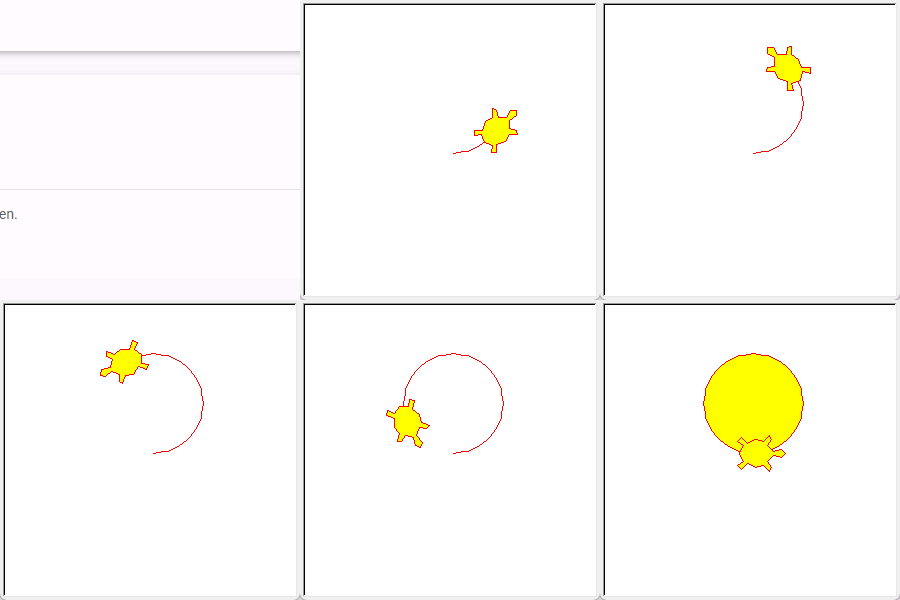
You can change the color of the background with bgcolor(). Use "blue" and a yellow circle, and you get a sun in the sky.
otto.bgcolor("blue")
otto.color("yellow")
otto.begin_fill()
otto.circle(50)
otto.end_fill()

Summary
| Command | What it does |
|---|---|
begin_fill() |
Starts a shape that will be filled. |
end_fill() |
Ends the shape and fills the inside with color. |
fillcolor(color) |
Sets the color for the inside, for example "yellow". |
bgcolor(color) |
Sets the color of the background, for example "blue". |