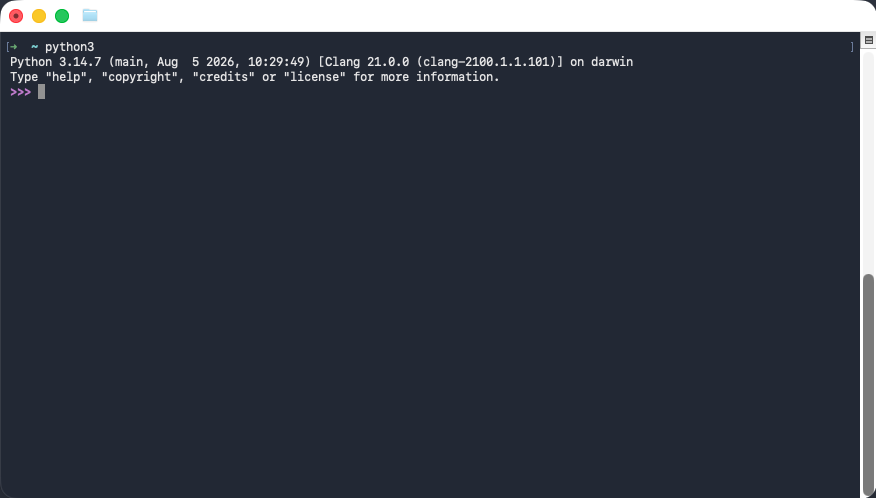
In the Programming course we will use the most recent version (3.14) of the Python programming language. You can download and install it for free on any operating system. We discuss the installation procedures in detail for Microsoft Windows, Linux and macOS.
Windows
There are several ways to install Python on Windows. One way is via the Python website:
-
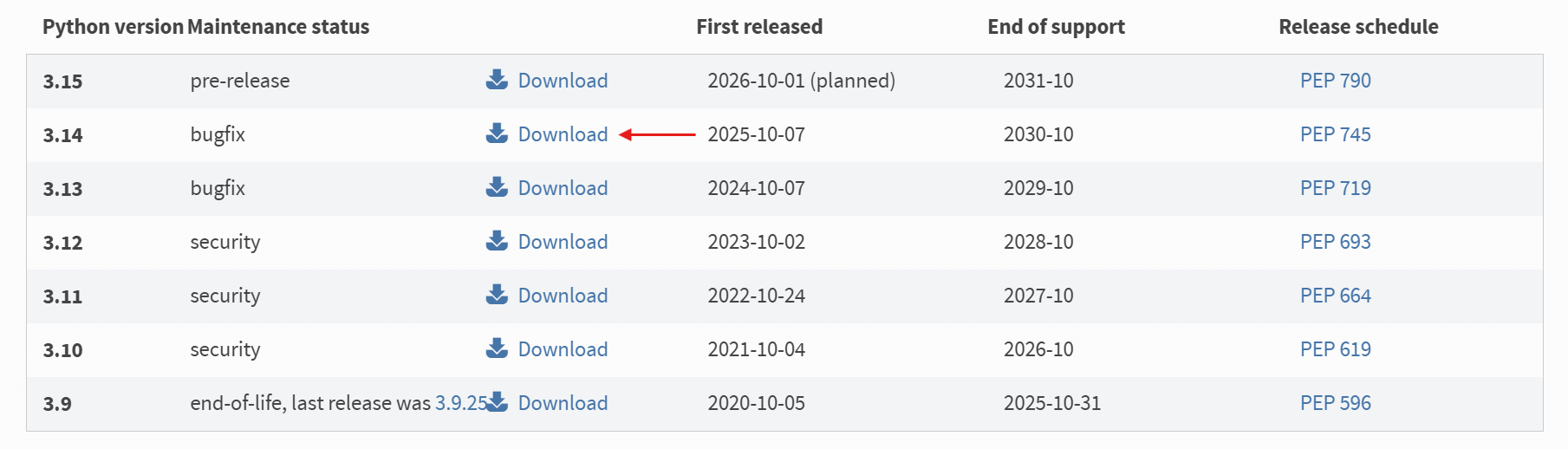
Open the Python download page and click on the download link of version 3.14.
-
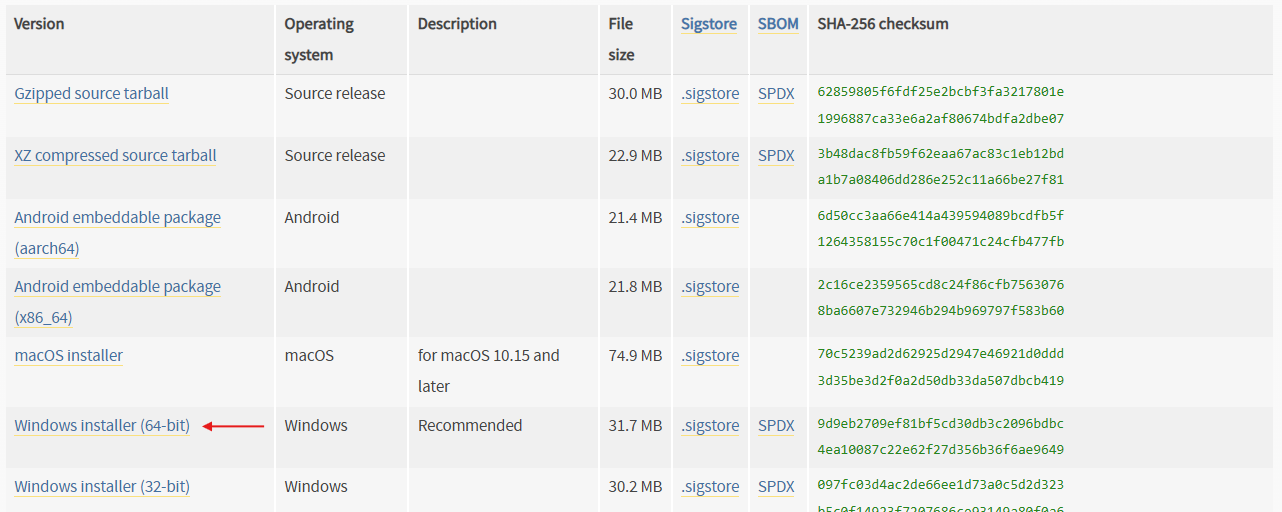
Scroll down and click on the link: Windows installer (64 bit).
-
You just downloaded an installer. Run the installer to install python.
Python 3.14 is now installed on your PC.
Ubuntu
Python version 3 should already be available after installing a recent Ubuntu version. You can check this by opening a terminal window and executing the command python3.
macOS
There are several ways to install Python on MacOS. One way is via the Python website:
-
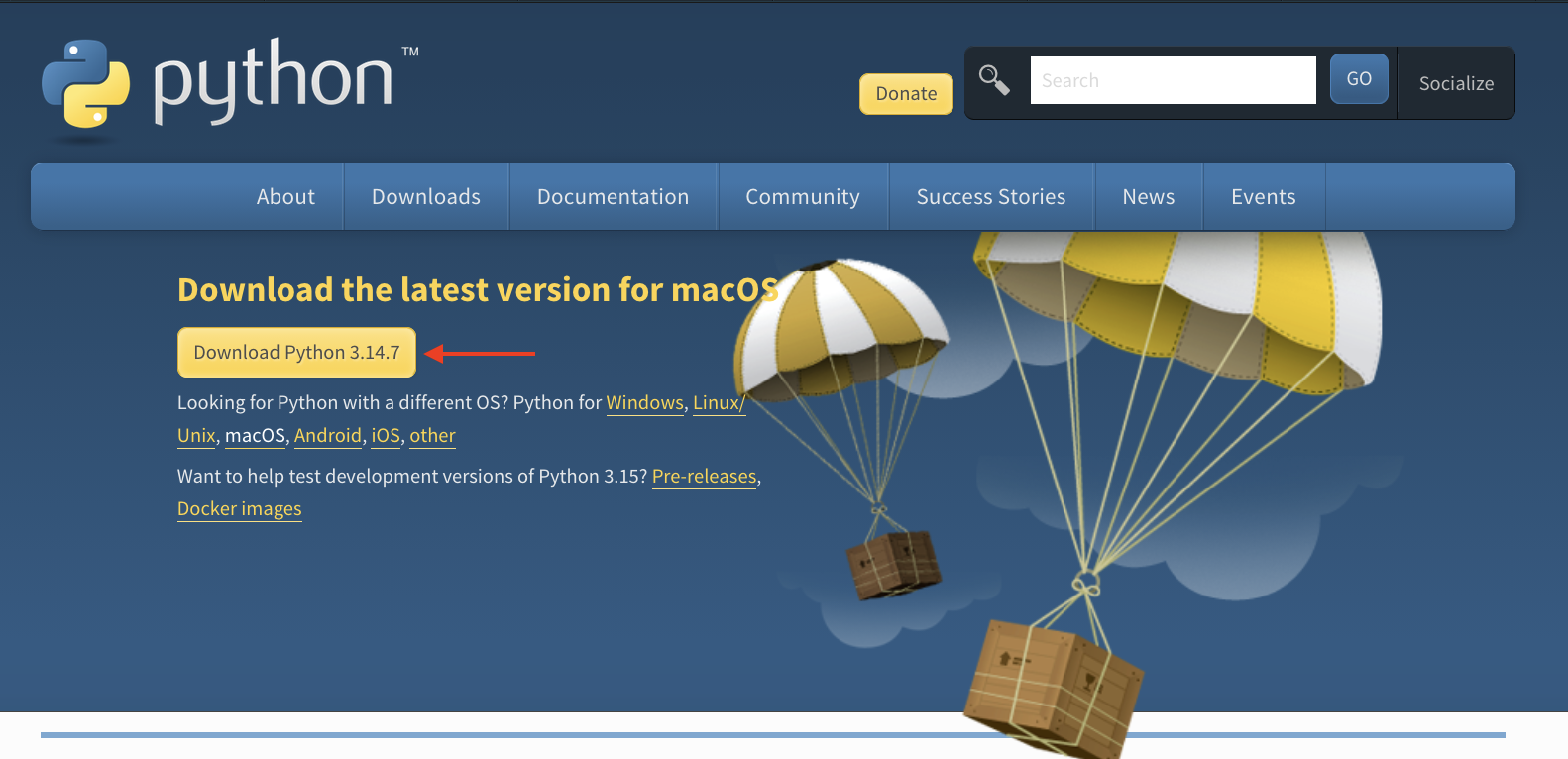
Open the Python download page and click on the download link as shown below.
-
Run and follow the steps in the installer to install python.
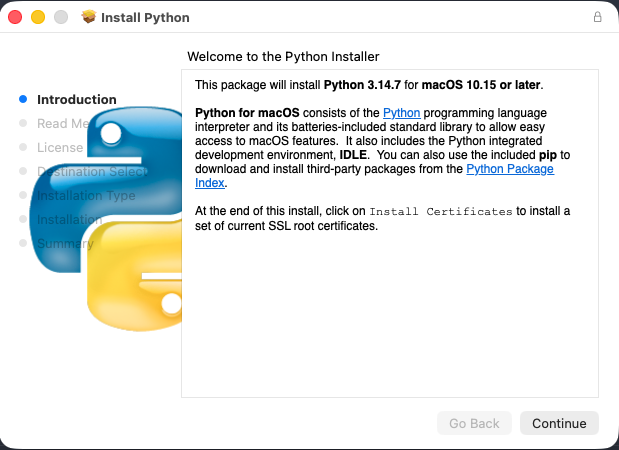
Python 3.14 is now installed on your PC. You can run the newly installed version of Python by issuing the command python3 in a Terminal window.