What Are Dictionaries?
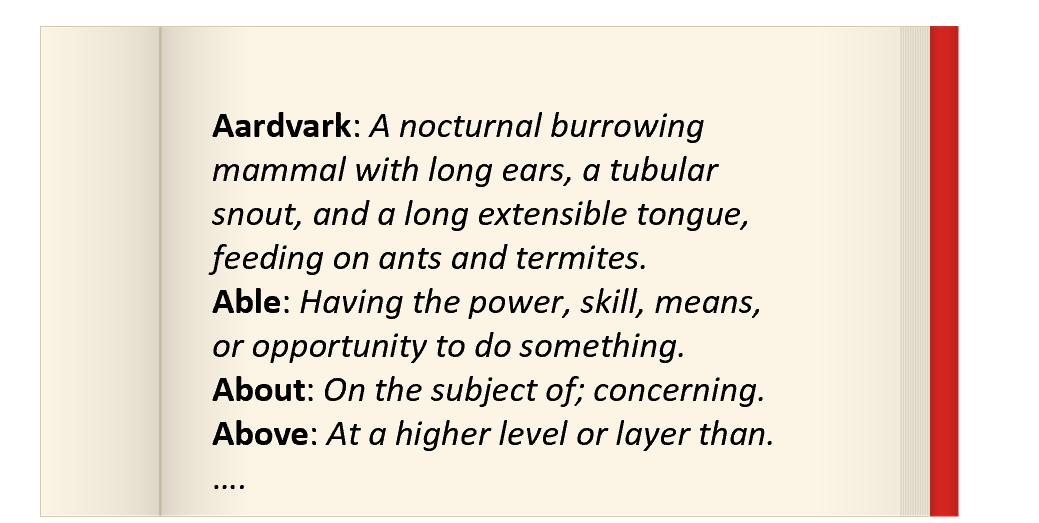
Dictionaries are one of the most flexible and useful data structures in programming. Recall that you have previously learned about lists and dataclasses, two other ways of structuring data. Lists allow you to map from positional integers to values, while dataclasses allow you to map from predefined attributes to values. The idea of a dictionary is that they map from arbitrary keys to values. Think of it like an actual dictionary: given a word, you can look up its definition. This lookup has a tremendous number of applications.
Dictionary Literals
{
    "Aardvark": "A nocturnal burrowing mammal.",
    "Able": "Having the means to do something.",
    "About": "On the subject of; concerning.",
    "Above": "At a higher level or layer than."
}
Dictionaries are written as a series of key-value pairs.
The code shown here demonstrates a dictionary literal.
Recall that the word “literal” means that the data is written directly in the program,
rather than being computed or read from a file.
This dictionary maps from strings to strings.
So the word "Able" is mapped to the string "Having the means to do something.".
For now, we are not assigning this dictionary to a variable or using it in any way; but we will soon.
The Parts of a Dictionary Literal
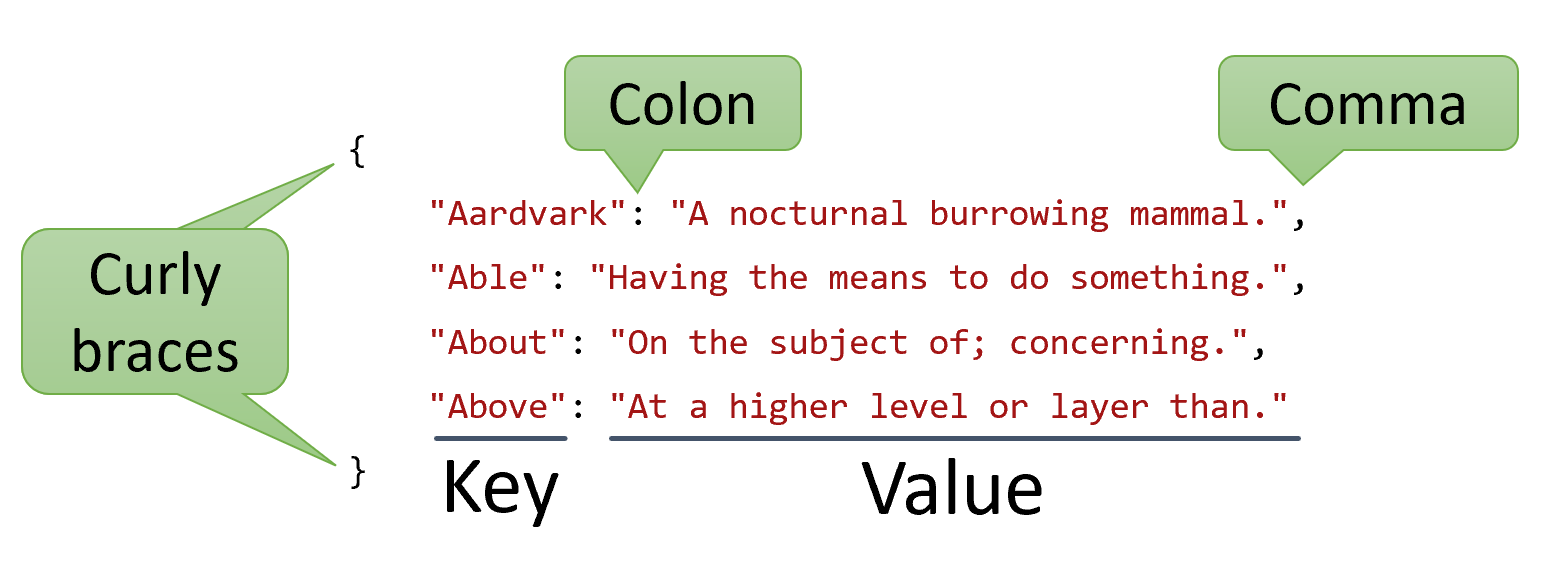
The syntax for a dictionary literal begins with a pair of curly braces. Inside of those braces, you will find key/value pairs separated by commas. Each key is separated from its value with a colon. The key and the value can be any expression, but are often literal values. Although not required, each key-value pair is often placed on its own new line.
A common beginner mistake is to use equal signs instead of colons. In fact, many novices struggle with dictionaries because they require careful coordination of keys and values, which can be confusing. Take your time reading and writing dictionary literals to make sure you are using the commas, colons, and curly braces correctly.
Keys
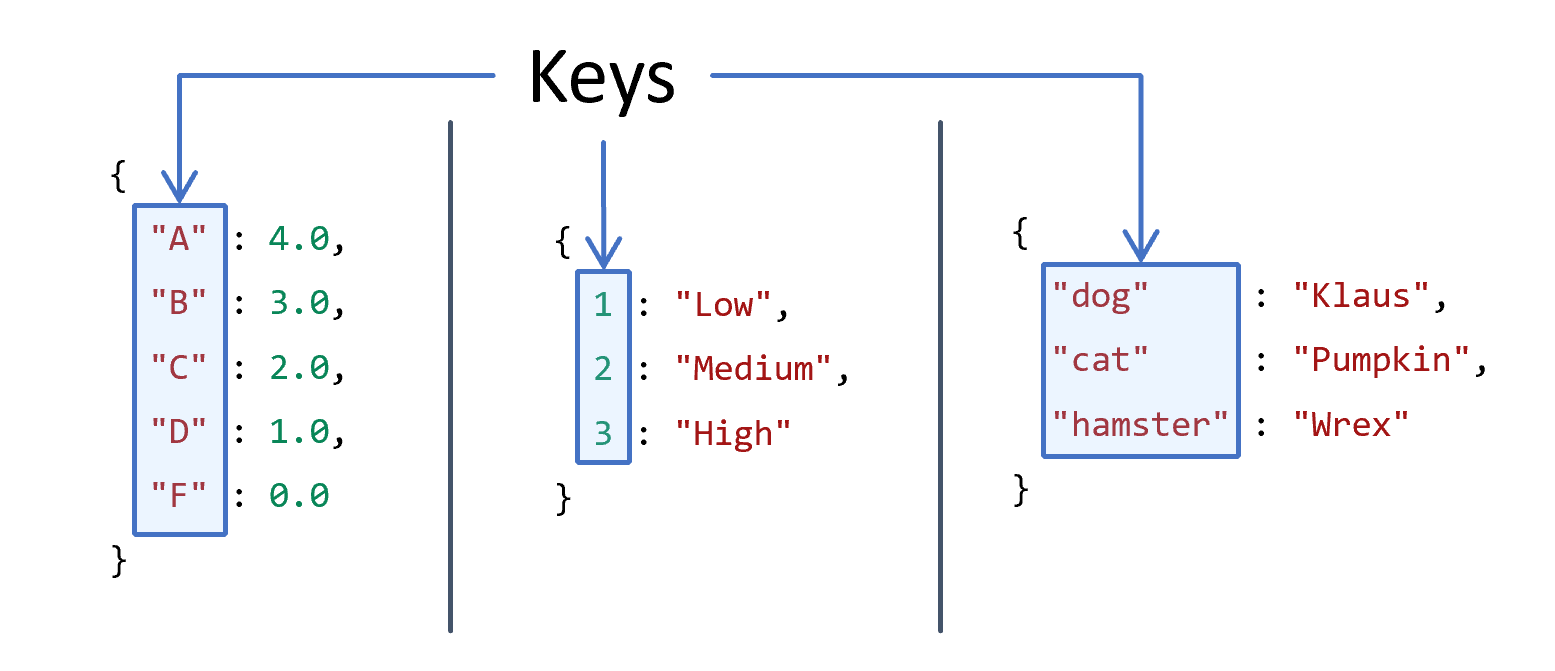
The keys of a dictionary are what we use to look up information. The keys of a dictionary are unique within that dictionary; you cannot have the same key twice in the same dictionary (the second key’s value will overwrite the first’s). Typically, the keys will be of the same type, although this is not technically a requirement. For now, all dictionaries that we work with will have the same type of keys and the same type of values, although the keys might be a different type from the values.
In the examples shown here, there are three dictionaries.
The first maps string letter grades to float values, like "A" to 4.0.
The second maps integer levels to string descriptions, like 1 to "Low".
The third maps string pet types to string pet names, like "dog" to "Klaus".
In each case, the keys are the strings "A", 1, and "dog", respectively.
Values
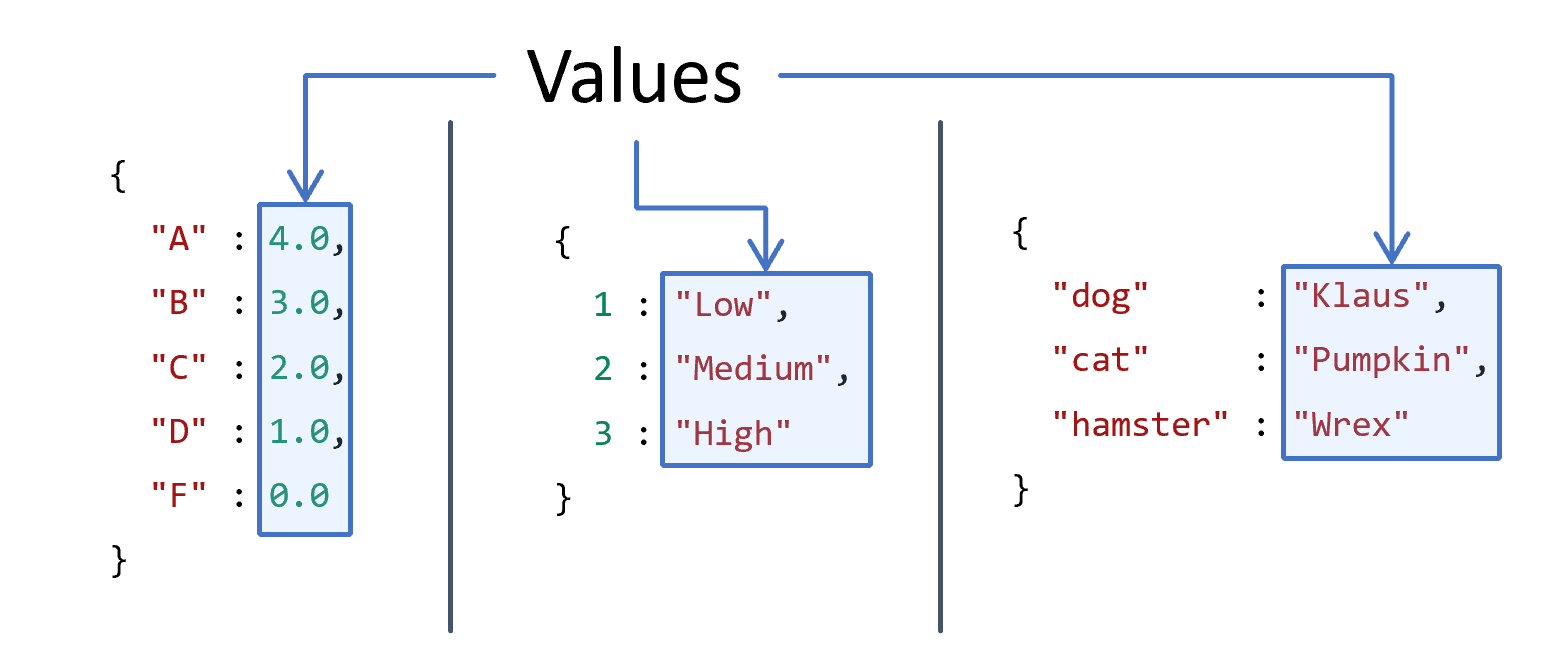
Each key is mapped to a value. With the appropriate key, we can get a desired value. Values do not have to be unique, unlike keys. Like keys, the values can be of any type, even if they are not the same. But again, for now, we will work with dictionaries that have the same type of keys and values. But like the first and second example shown here, the keys do not have to be the same type as the values.
In the example shown here, the first values in each dictionary are 4.0, "Low", and "Klaus", respectively.
Dictionary Access
# Dictionary literal value assigned to a variable
my_pets = { "Klaus": "dog", "Pumpkin": "cat", "Wrex": "hamster" }

# Accessing a value using a key
klaus_species = my_pets["Klaus"]

# Then you can use that value however you want
print(klaus_species)
# Or access and print it directly
print(my_pets["Pumpkin"])
Once a dictionary has been created, you can store the dictionary in a variable and retrieve values using dictionary access. Dictionary access is done by placing the key in square brackets after the dictionary variable. This is similar to how we access elements in a list, which also uses square brackets. With lists, we used numeric indexes to access elements. With dictionaries, we use the keys. Often, the keys will be strings, so often we will see strings inside the square brackets. However, the keys can be any type, so long as they are unique.
Lookups
grades = { "A": 4.0, "B": 3.0, "C": 2.0, "D": 1.0, "F": 0.0 }

print(grades["A"])  # This works

print(grades["E"])  # KeyError, does not work!

print(grades[4.0])  # KeyError, also does not work!
When we perform dictionary access, we give a key, and the dictionary access expression is replaced with the corresponding value at runtime.
If the key is not in the dictionary, a KeyError is raised.
In the code shown here, we can access the key "A" in the dictionary grades, which produces the value 4.0.
Attempting to access the key "E" in the dictionary grades will raise a KeyError, because the key "E" is not a key in the dictionary.
Another common mistake is to try to access a value instead of a key, which will also cause a KeyError.
In the code shown here, if we try to access the key 4.0 in the dictionary grades, there will be a KeyError, because 4.0 is not a key in the dictionary.
Although the value 4.0 is in the dictionary, it is not a key, so we cannot access it directly.
Not Always Strings
levels = {3: "High",
          2: "Medium",
          1: "Low"}

print(levels[2])       # "Medium"
print(levels[1 + 2])   # "High"

print(levels[0])       # KeyError, does not work!
print(levels["High"])  # KeyError, does not work!
Sometimes keys will be strings, but it turns out that anything can be a key.
If a dictionary maps integers to strings, for instance, then the keys will be integers.
In fact, it is possible for a dictionary lookup to appear just like a list lookup!
The rules are still the same; if the expression in the square brackets is not a key in the dictionary, a KeyError will be raised.
But you can use any expression that evaluates to a key in the dictionary, as the example here demonstrates where we use 1 + 2 to access the key 3.
But neither 0 nor "High" are keys in the dictionary, so they will raise KeyErrors.
Empty Dictionaries
empty = {}

print(empty)  # {}

if empty:
    print("This will not print; empty dictionaries are falsey.")

full = { "no": False, "yes": True }

if full:
    print("This will print; dictionaries with items are truthy.")
A dictionary can be empty, meaning it has no key-value pairs.
This is useful when you want to build up a dictionary over time, or when you want to create a dictionary that will be filled in later.
The syntax for an empty dictionary is simply a pair of curly braces with nothing inside them.
The code shown here demonstrates an empty dictionary, which is printed as {}.
This is similar to an empty list, which is written as [].
The truthiness of an empty dictionary is False, just like an empty list; a dictionary that has at least one key-value pair is True.
Dictionary Type
def make_ratings(ratings: list[int]) -> dict[str, int]:
    return {
        "dog": ratings[0],
        "cat": ratings[1],
        "rat": ratings[2]
    }

rating_map = make_ratings([5, 3, 1])
print(rating_map)
# Output: {'dog': 5, 'cat': 3, 'rat': 1}
When you define a function that consumes or produces a dictionary, we need to specify the type.
If we don’t know anything specific about the dictionary’s keys and values, we can use the generic dict type on its own.
But like lists, dictionaries are a composition type, meaning they are made up of other types; therefore, we can usually specify the types of the keys and values.
The syntax for this is dict[key_type, value_type], where key_type and value_type are the types of the keys and values, respectively.
In the example shown here, the function make_ratings takes a list of integers and produces a dictionary that maps string keys to integer values.
The type of this dictionary is dict[str, int], because the keys are strings and the values are integers.
You should be careful to use a comma to separate the key type from the value type, not a colon; although not a syntax error, most type systems will not recognize the colon as the type separator for dictionaries.
Terminology
- Dictionary
- Map
- Table
- Hash
- Hashmap
- Associative Array
- Key-Value Store
A final minor note about dictionaries: dictionaries are also sometimes known as maps, tables, hashes, hashmaps, associative arrays, key-value stores, and many other names. Although there are subtle differences in this terminology, the idea is still roughly the same each time. You should become familiar with these terms, as you will see them in documentation and other resources.
Vocabulary
- Dictionary (Map, Table, Hash, Hashmap)
- Key
- Value
- Key/Value Pair
- Dictionary Literal
- Dictionary Access, Dictionary Lookup
- KeyError
This lesson covers a lot of vocabulary about dictionaries, so you would do well to review these terms and make sure you understand them.
Summary
- Dictionaries are a way of mapping keys to values.
- Keys are unique and are used to look up values.
- Values are the data that is stored in the dictionary.
- Dictionaries are written as key-value pairs in curly braces.
- Keys and values are separated by colons.
- Key-value pairs are separated by commas.
- The entire dictionary is enclosed in curly braces.
- Dictionary access is done by placing the key in square brackets after the dictionary variable.
- If the key is not in the dictionary, a
KeyErroris raised.- This includes trying to access a value instead of a key; that will also raise a
KeyError.
- This includes trying to access a value instead of a key; that will also raise a
- Dictionaries can have any type of key and value, but for now, we will work with dictionaries that have the same type of keys and values.
- Dictionaries can be empty, and the truthiness of a dictionary is based on whether it is empty or not.
- The type of a dictionary can be specified as
dict[key_type, value_type]. - Dictionaries are also known as maps, tables, hashes, hashmaps, associative arrays, and key-value stores.