Learning goals
- Lift and lower the turtle’s pen to control when it draws.
- Change the line color and width.
- Explain how pen settings affect the lines the turtle draws.
The turtle draws when its pen is down. Use penup() to lift the pen and pendown() to put it back down. The turtle can move while the pen is up without drawing a line.
otto.pendown()
otto.forward(50)
otto.penup()
otto.forward(50)
otto.pendown()
otto.forward(50)

You can change the line color with color(). You can use common color names like "red", "blue" or "green". Colors always have to be between quotes ("). You can also change the line width with pensize().
otto.color("blue")
otto.pensize(4)
otto.forward(80)

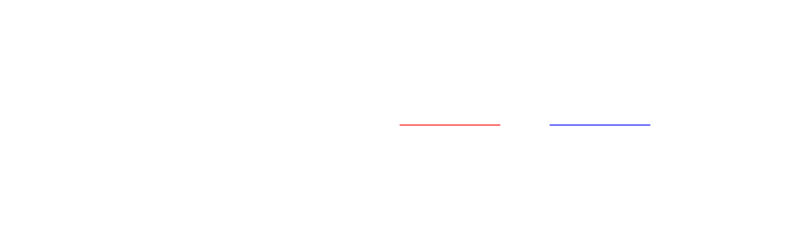
You can change the color as often as you like. Every line is drawn in the color that was set when the turtle drew it:
otto.color("red")
otto.forward(100)
otto.penup()
otto.forward(50)
otto.pendown()
otto.color("blue")
otto.forward(100)
Summary
| Command | What it does |
|---|---|
penup() |
Lifts the pen so movement does not draw. |
pendown() |
Lowers the pen so movement draws again. |
color(color) |
Sets the line color, for example "red". |
pensize(width) |
Sets the line width. |