Files
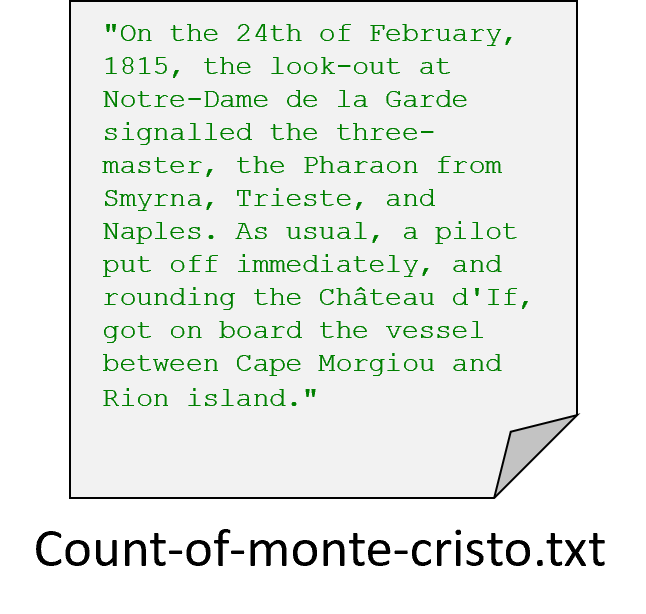
You can think of a file as a string of data. If we know the path and filename of the file, we can use Python to get access to it. Then you can process the data as if it were a string, or a list of strings, depending on how you want to use it.
Opening a File
book_path = "Count-of-monte-cristo.txt"
book_file = open(book_path)

# Boring!
print(book_file)
Before you can access the data in a file, you must use the open function.
This function consumes the path to the file as a string and returns a file object.
Typically, we store this file object into a variable.
If you run the example code here, it will not seem very exciting because we have not actually processed the data in the file.
The only thing printed is the open file object.
Until you tell Python to read the data from the file, the only information you have is that the file is open and ready.
The key insight here is that the file object is not the same thing as the actual data inside the file.
Reading Characters from a File
book_path = "Count-of-monte-cristo.txt"
book_file = open(book_path)

# Use the read() method to get the file as a string
book_text = book_file.read()

print(book_text)
The primary way to get data from a file object is to use the “.read()” method.
This method returns the contents of the file as a string.
Check out this example where we open the file, read the file object, and then print the text of the file.
Notice how this is a multi-step process: We use the path to open the file, and then we read from that open file.
Process File Character by Character
book_path = "Count-of-monte-cristo.txt"
book_file = open(book_path)

# Use the read() method to get the file as a string
book_text = book_file.read()
count = 0
for character in book_text:
    count += 1
print(count)
With the string we loaded from the file, we can process the file character by character (just like any other string value). In the example below, we open the file again and count the number of characters using the loop pattern.
Line-by-line File Iteration
book_path = "Count-of-monte-cristo.txt"
book_file = open(book_path)

for line in book_file:
    print(line)
Often, we want to process a file line by line.
Because a file is a sequence of strings (each separated by a new line), we can process it using a for loop.
The example shown below will process the file line by line, which would be perfect if we wanted to manipulate each line of the file, perhaps to adjust capitalization or convert it to a number.
Notice that with the for loop, we no longer need to use the .read() method.
If we had combined the read and for loop, we would have done string iteration, going through the file character by character.
Line Endings
book_path = "Count-of-monte-cristo.txt"
book_file = open(book_path)

for line in book_file:
    print(line.strip())
The lines of a file are broken up using new line characters (usually \n although the specific characters can vary by the platform).
When reading a file line by line, the new line characters are included in each line.
This is different from the behavior of the split method, which does not include the separator character in the split lines.
Therefore, usually you will want to use the strip method to remove the extra whitespace from the end of the line.
Closing Files
book_path = "Count-of-monte-cristo.txt"
book_file = open(book_path)

print(book_file.read())

# This is critical!!!
book_file.close()
When you are done with a file, you should always remember to close it using the close method.
It’s like leaving a house: if you open a door, you need to close the door.
Forgetting to close a file can leak memory resources on older devices and possibly cause data loss.
Plus, the close indicates to anyone reading the program that the file reading phase is finished.
Usually, Python will automatically close a file when the program ends, but the best practice is to properly close the file yourself to indicate that you are done working with the file.
Once a file has been closed, you cannot use the read method on the file or iterate through it with a for loop.
File Objects
openfunction that takes a string path and returns an openfileobjectclosemethod offileobjects that frees up the resourcereadmethod offileobjects that returns the contents of the file as a stringforloop iteration over thefileobject as a sequence of strings (separated by newlines)
When we call the open function from before, we were given a file object.
This is a new type of value, different from strings, lists, or any other type we have seen before.
The file type has its own unique methods (read, close) and the ability to be iterated with a for loop (just like strings and lists). You cannot use operators like addition (+) or subscripting (square brackets like [ with an index).
In fact, Python has many special types of values that are built in.
We have previously seen that we could create our own types using dataclasses; the concept is basically the same here, with other programmers having created special types on our behalf.
For now, just remember that the appropriate operations and methods for files are:
FileNotFoundError
- Do you have the right filename?
- Do you have the right path?
- Is the file where you think it is?
- Is your program where you think it is?
- Ask for help!
File systems are tricky because everyone has a different setup.
Often, we misplace files.
When we try to open a file that does not exist, Python raises a FileNotFoundError and will suggest the file does not exist.
Typically, you should check that you know the exact filename, that you are using the path, and that you know where your Python source file is relative to the file you are opening.
Example File Processing
score_sum = 0
data_file = open('scores.txt')

for line in data_file:
    score_sum = score_sum + int(line.strip())

data_file.close()
print(score_sum)
Processing text from books is one possible application for files, but often we want to process a file full of numeric data.
Here is some example code that will process a list of numbers in a file, each of which represents a score.
We are also using the sum pattern we learned about before to add each of those scores together.
Notice how we must strip off the new lines at the end of each line and then convert that line to a number; when we read data from a file, it comes in as a string.
Remember, even if a file only contains numbers, the values returned by the read method and line-by-line iteration will still just be strings.
Strings can contain numeric characters, but that does not make those values integers.
Until you explicitly convert the contents using the int or float functions, you have string values.
Summary
- Data stored in files can be accessed through a programming language like Python.
- You can call the
openfunction in Python with a string filename to get afileobject. - A
fileobject has two operations that you can use to access the actual data in the file:- The
.read()method returns the contents of the file as a string value. - You can use a
forloop to iterate through a file as a sequence of strings, separating the file based on its new lines.
- The
- The
.read()method gives you a string, so you can iterate through the string character by character just like any other string. - The line-by-line iteration approach still includes the new line at the end of a line, so usually you will use the
.strip()method to remove the extra whitespace from the end of each line. - When you are done working with a file, you should call the
.close()method to indicate that the file is no longer necessary and to free up resources.