Hello, and welcome to the world of Computer Science!
We are going to learn how to program: writing instructions in a programming language that a computer can run for us. By running these instructions, we can transform data to solve problems, which is the real goal of Computer Science.
Programs are a lot like a recipe. You start with some ingredients, perform actions with them, and then you end up with a result. But creating the recipe itself isn’t easy - sometimes it takes many attempts and you get messy along the way. But that’s okay, because you can clean up and try again.
In this book, we’ll be teaching you how to write programs in a popular language called Python. Hence, the name of this book: the Python Bakery. But the point is not to “bake” Python programs - the point is to learn how to make the recipes themselves. The things we learn will transcend Python and will make you a Computer Scientist. You will solve new problems that don’t even exist yet!
Layout of the Book
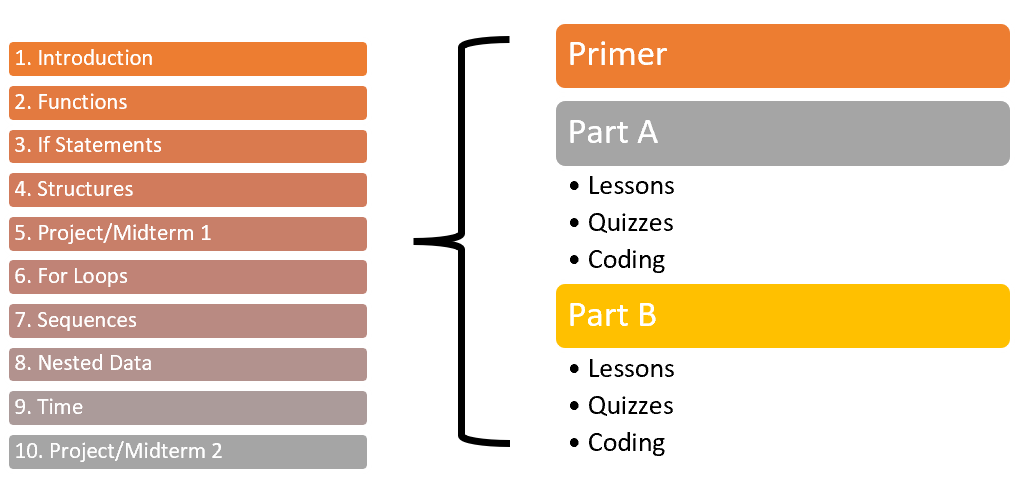
This book has 11 chapters, with two parts per chapter. Each part has a bunch of readings, short quizzes, and programming problems to help you learn. Each chapter will also start with a short overview, just like this one.
This first chapter may look long, but we promise it’s not that bad. Things that seem complicated at first often turn out to be much simpler once you try them out. Take your time and practice patience. Eventually you will finish everything, and we hope you have fun along the way!
But for now, let’s get a short overview of the basics. Don’t worry if parts confuse you - the rest of the chapter will go into a lot more detail!
Abstracting Data
- Integers:
5,29,1774,-3 - Float:
1.5,0.66,199.99 - Strings:
"Hello World!","Apple" - Boolean:
True,False
All programs begin and end with data. We input data from the real world into the computer (“abstracting”) as values. We organize values by type. In Python, our core types will be integer numbers, decimal floats, string text, and boolean logical values. The names may sound a little strange, but the example values should seem normal.
Messing with Data
movie_length = 126
ads_length = 12
hours = (movie_length + ads_length)/60
is_long_movie = hours > 2
print("Will this be a long movie?", is_long_movie)
Once data is inside the computer, you can use operations to do math and ask questions. The result of the operations will be substituted so that you can make complex expressions. You can assign the result of expressions to variables to reuse the results in later operations. Variables are names that refer to values that change over time, unlike variables from math class.
When all the operations finish, the program needs to output the final values to the user. In baking terms, this means delivering the finished cake or pie to the client. In our early programs, this will mean printing the values.
A Python program, also called a Module, is made of lines called statements that tell the computer what to do. These statements execute one at a time, from top to bottom. At each step of the program, you can trace the values of all the variables. Computers are so fast at running programs, it looks like it happens all at once. Do not be fooled - running a program is like a play or a movie acted out from a script.
The Process of Programming
Once a program works, you will want to share it with other people. Good programmers have many practices to make it easier for others to import and use their code. For example, they write comments inside their program that explain their code. They also choose good names for their variables so their purpose is clear. We will learn many best practices, although they take time to settle in.
Writing programs is hard, and it’s easy to make mistakes. When a program fails, Python will usually show us an error message that helps us understand what went wrong. Getting errors is a perfectly normal part of writing programs, even when you become experienced. Do not feel bad about yourself when your program does not work at first. Practice, and this book, will help you become successful in Computer Science.
That’s an overview of the things we will learn more about in this chapter. Once again, do not worry if you didn’t understand. We are about to explain all of it in a lot more depth! Remember, practice and patience are key to both baking and programming!