What is Debugging?
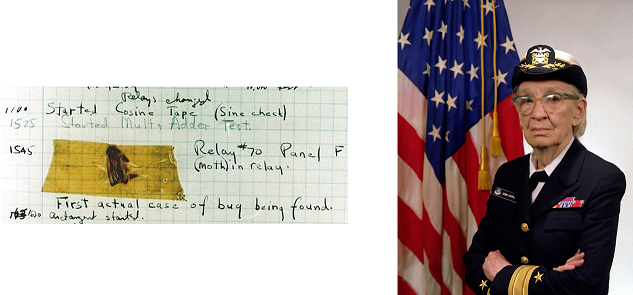
When a program doesn’t work, we say that it has a “bug” in it. When we get rid of bugs, we call it “Debugging”. The first actual case of debugging a computer program was when Admiral Grace Hopper found a moth trapped inside of a relay of the Mark II Computer. Nowadays, our bugs usually don’t involve live insects.
Tracing Code
def calculate_volume(height: int, area: int) -> int:
    volume = height ** area    # should be 150
    return volume

box_length = 5
box_width = 10
box_height = 3
rectangle_area = box_length * box_width
box_volume = calculate_volume(box_height, rectangle_area)
print(box_volume)
Many programming environments offer the ability to trace a program with an integrated debugger.
A debugger lets you slow down the execution of a program so you can walk through the steps line by line.
At each step, it shows you the actual values of all the variables in the program.
This makes it much easier to figure out what your program is doing and shows you when the program has done something you did not want.
Press Run on the code above, then work through the trace below by hand: notice how the actual value of volume differs from the comment’s expectation.
Example Code Trace
- Line 1: Define
calculate_volumefunction - Line 5: Assign
box_length - Line 6: Assign
box_width - Line 7: Assign
box_height - Line 8: Assign
rectangle_area - Line 9: Call
calculate_volume - Line 2: Assign
volume - Line 3: Return
volume’s value - Line 9: Assign
box_volume - Line 10: Print
box_volume’s value
Let’s trace through the program defined before. Notice that the steps do not match up to the lines!
Start by defining the function calculate_volume with two parameters: height and area. The return type is specified as int. We skip over the body of the function (lines 2 and 3) for now.
After the function definition (starting on line 5), define and initialize three variables: box_length with a value of 5, box_width with a value of 10, and box_height with a value of 3.
Next, calculate the rectangle_area by multiplying box_length and box_width. In this case, it should be 5 * 10, which evaluates to 50.
Then, call the calculate_volume function with the arguments box_height and rectangle_area. This means that the height parameter will receive the value of box_height (3) and the area parameter will receive the value of rectangle_area (50).
Inside the calculate_volume function, the volume variable will be assigned the result of 3 ** 50. Because the function raises height to the power of area instead of multiplying them, this evaluates to a very large number, not the 150 the comment expects; that mismatch is exactly the kind of bug tracing helps you catch.
The oversized value of volume is then returned from the function and assigned to the variable box_volume.
Finally, the value of box_volume is printed to the console.
Many code editors include debugging tools for stepping through code like this and inspecting variable values as you go. Learn to explore whatever debugging tools your own environment offers, and don’t be afraid to experiment.
The Scientific Method
- Observe failure
- Hypothesize cause
- Predict behavior
- Experiment with code
- Repeat 3-4 until fixed
When you’re debugging code, you should approach it using the scientific method. First, we observe a failure in our code. Second, develop a hypothesis as to why the code failed. Third, turn this hypothesis to make a prediction. Fourth, test the prediction by experimenting with the code and making observations. Fifth, repeat steps 3 and 4 until you have fixed the code. This may be intuitive to some people, but formally following this method can really help train yourself as a programmer!
Wolf Fence Debugging
command = input("What are the dimensions")
stop = "stop" in command
# ------------------------------------------
print("Works fine until here")
# ------------------------------------------
area = length ** width
volume = height * area
set_size(volume)
“There’s one wolf in Alaska, how do you find it? First build a fence down the middle of the state, wait for the wolf to howl, determine which side of the fence it is on. Repeat the process on that side only, until you get to the point where you can see the wolf.” In other words, put in a few print statements until you find the statement that is failing (then maybe work backwards from the “tracks” to find out where the wolf/bug comes from).
This method is also known as “Print Debugging”.
Rubber Duck Debugging
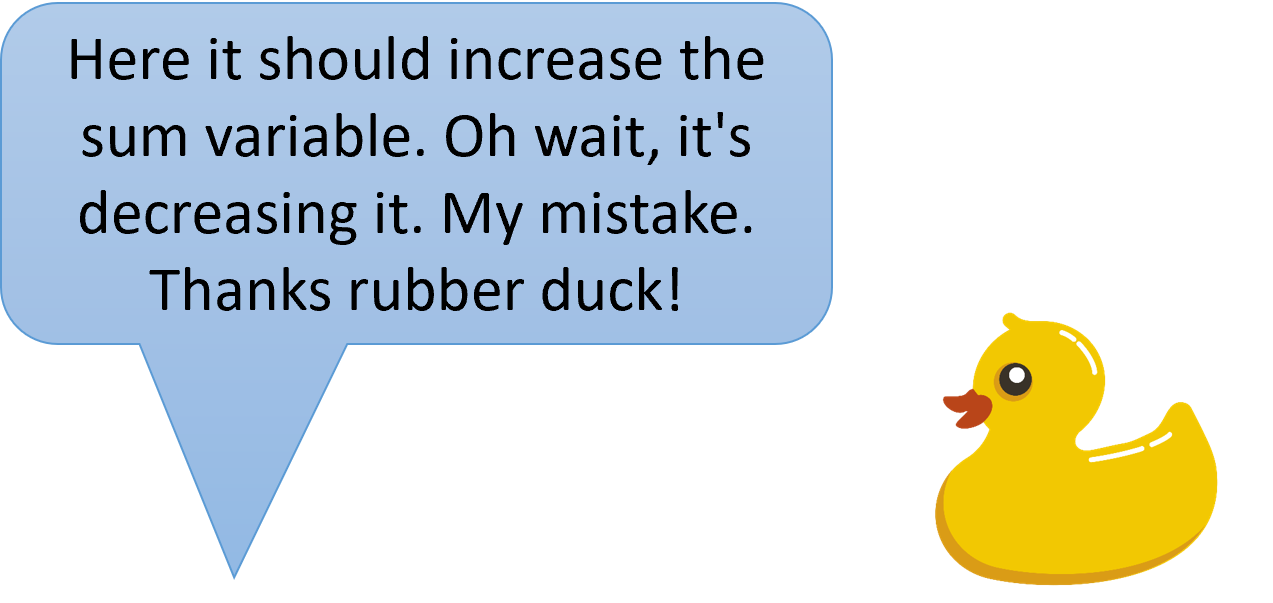
Okay, this will sound weird. First, get yourself a rubber duck or a wise stuffed animal. Second, politely inform the duck that you will be explaining your code to it. Third, explain what your code is supposed to do in general, and then go over each line of code to the rubber duck. At some point, you will tell the rubber duck what you are supposed to be doing next, and you will realize that’s not actually what your code does. Fourth, thank the duck for its excellent work. This may sound crazy, but rubber ducks are actually the world’s best coders.
The actual reason why this tends to work is that explaining your code out loud to someone else forces you to pay closer attention to what the code does. Just reading the code to yourself allows you to skip over mistakes. But talking to a rubber duck requires your full attention!
Summary
- The process of removing errors (“bugs”) from code is called debugging.
- A debugger is a feature in many programming environments and can be used to trace through code, tracking values of variables, to determine when an incorrect operation occurs.
- The scientific method is an iterative process of hypothesizing what an error means, predicting a potential fix based on the hypothesis, and then experimentally trying the fix to see if the error is gone.
- Wolf Fence debugging is when you repeatedly divide the codebase in half with
printstatements until an error is isolated. - Rubber Duck debugging is when you explain your code to an inanimate object (like a rubber duck) so that you are forced to pay close attention to your code, hopefully making the error more visible.